Pytest's Assert is Not What You Think It Is
What is AST? And how pytest hacks it to give you a better UX?
In Python, like many other languages, there is a statement that checks a given condition, and raises an AssertionError if this condition is False, otherwise, it does nothing if the given condition is True. That's basically what assert does.
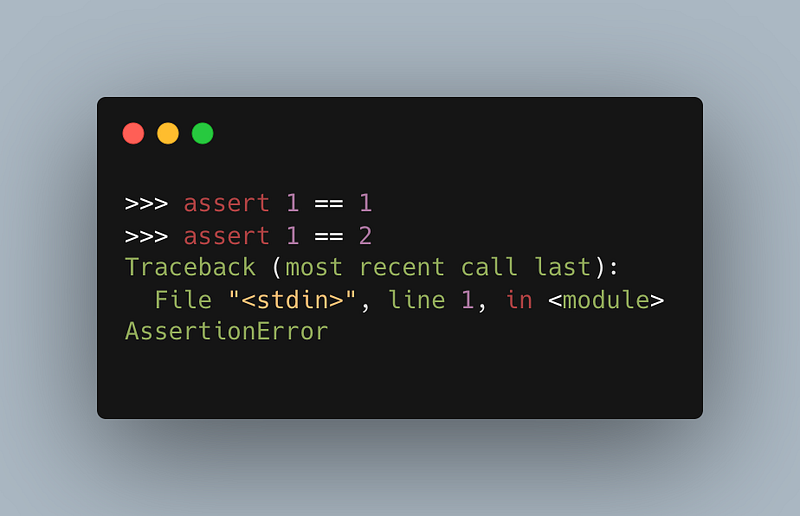
This makes assert a good candidate for unit tests. At the end of the day, you are testing a certain condition, and want your test to fail if that condition fails.
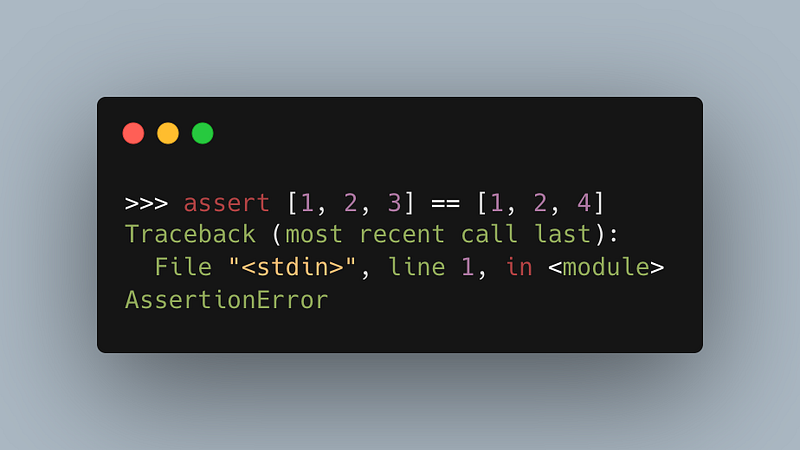
Nevertheless, there is one small problem here. The AssertionError gives you minimal information. Check the following code; it tells you the two lists are not equal, but doesn't really tell you which elements of the two lists are different:
Compare that to Pytest's output, when the same assert statement is used:
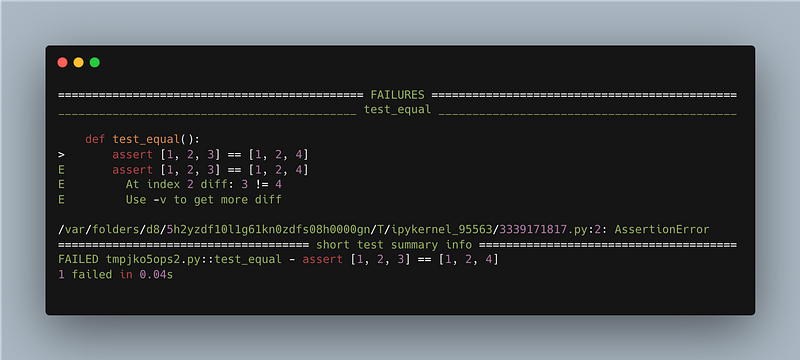
This output is definitely more helpful, but how does pytest make its asserts behave differently?!
Can we override a keyword in Python?
This question sent me into a rabbit hole, and helped me understand how pytest works a little bit better.
The only way for pytest to provide such verbose output is to override the assert keyword in Python and change its behaviour. However, after a quick search, you will find that there is no way to override any of the language keywords.
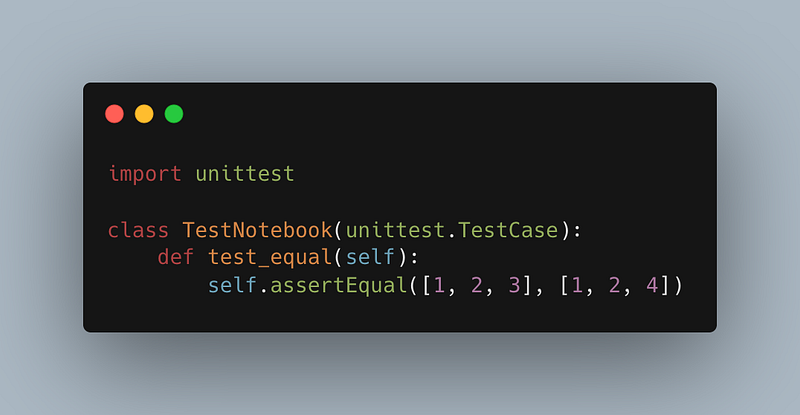
Other libraries or modules know that. Thus, unittest, for example, creates its own methods instead of using the builtin assert keyword. Check the module's assertEqual method below:
So, how does pytest get away with using assert anyway? To answer this question, we have to learn about Abstract Syntax Trees, or AST for short.
Abstract Syntax Tree (AST)
When you run a piece of code, Python first parses it into tokens: "if", "for", "x", "3.14", "==", etc. These tokens are organised into what is known as Abstract Syntax Tree (AST). This tree is what keeps track of which parts of the code belong together, which parts are executed before the others, and so on. This tree is what makes sure that the result of the first equation below is 7, while that of the second equation is 9:
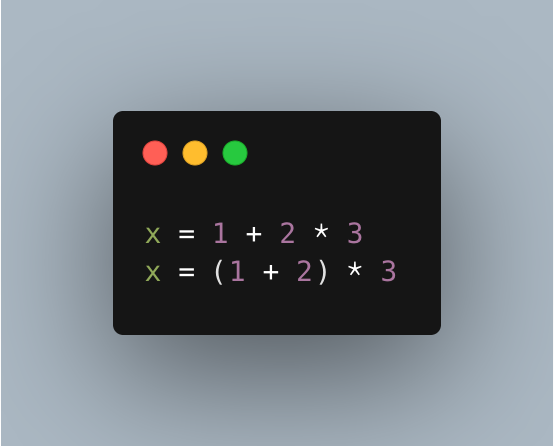
In essence, the AST is how tokens are organised according to the grammar of the programming language. And later on, this tree is compiled into byte code, for the Python interpreter to run it.
One cool thing about Python, is that it allows you to play with this tree. Whenever you import a module into your code, you are given hooks to the machinery of that importing process. There, you can do whatever you want. You can edit parts of the code before running it, altering the abstract syntax tree on the fly; the sky is your limit.
That's basically what pytest does. Whenever it loads your unit test files, it parses their ASTs, and alters them to replace each assert statement with an if condition. Here is a part of pytest's source code, explaining what it does in the method's docstring:
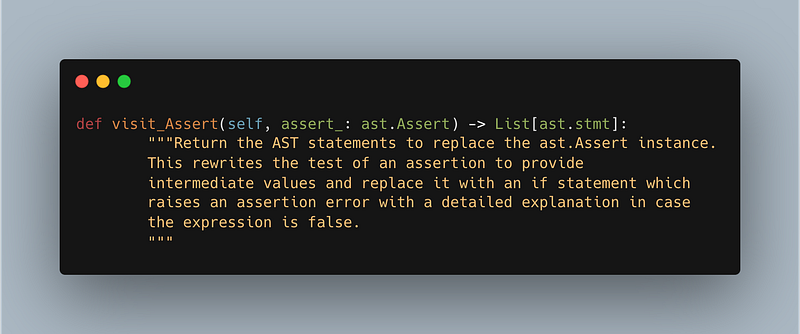
Luckily, since Python needs to convert the code into tokens and put them into ASTs anyway, the language comes with a built-in module for processing those grammar trees, so neither pytest creator nor us do need to reinvent the tree, ehm, the wheel here. We can just convert any code into ASTs, edit those trees, and convert the results into code again.
Let me show you in the next section how to use Python's ast module.
How AST, the module, works?
This built-in module helps you create an AST from a code string as follows:
(Code snippet: using ast.parse to create an AST from code)
We give ast.parse a string containing the code we want to parse. It then returns back the corresponding AST. We can also print the tree in a readable format using ast.dump. Here is how the resulting AST looks like:
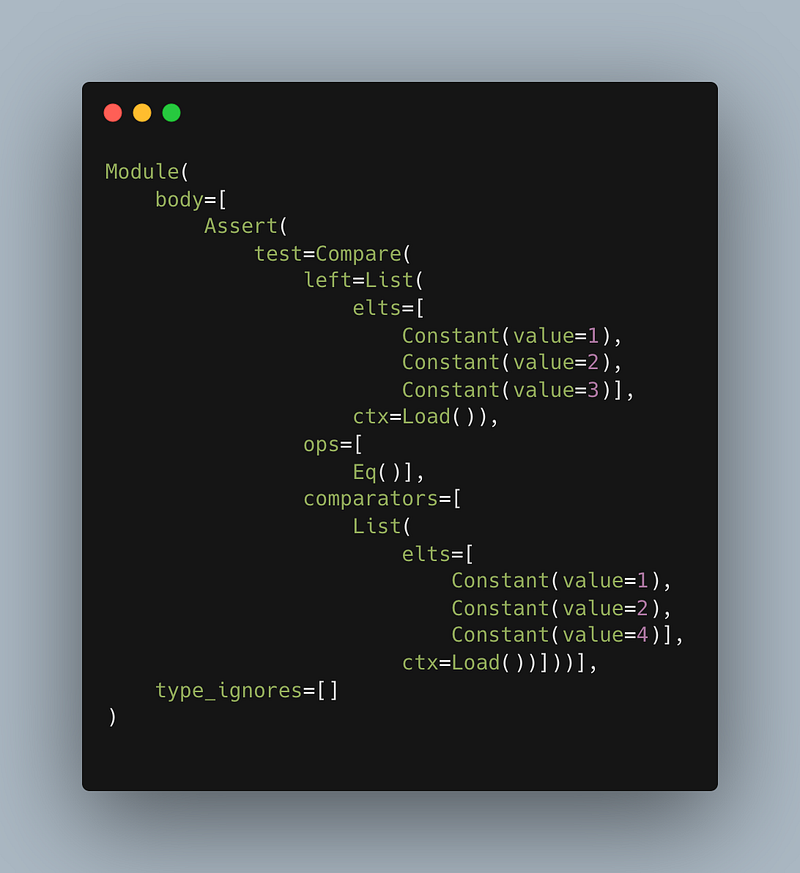
By the way, you don't even need to write code to traverse this tree and alter it. Python got you covered with ast.NodeTransformer that does exactly that. But maybe, rather than boring you with details.
Maybe, it is time to put all this information together into practice. Maybe, it's demo time!
It's demo time!
Say, we have a file called "my_test.py" with the following code in it:
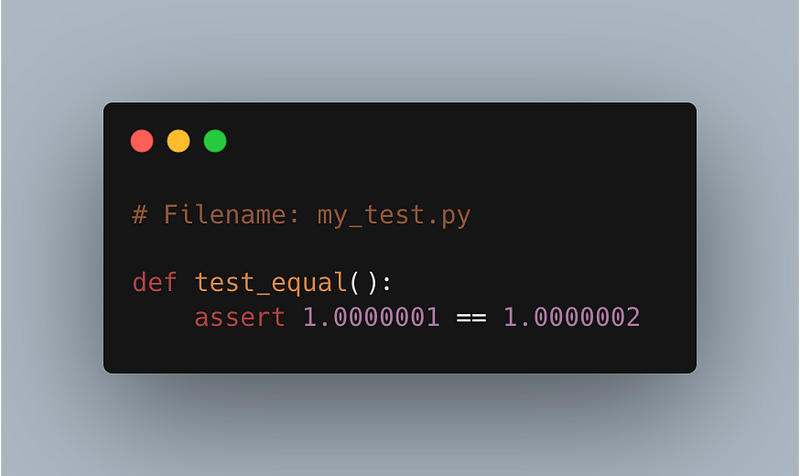
Now, if we import the test_equal function in another file, let's call it "tester.py", and run it, it will fail, since the two numbers aren't exactly the same.
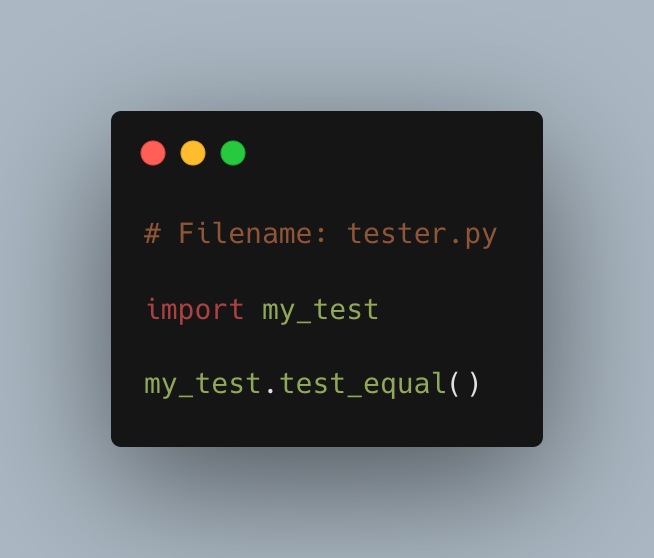
What we want to do now, is change tester.py so it does two things before importing my_test.py:
- Intercept the import mechanism so it has access to the content of "my_test.py" before loading it.
- Use this content to create an AST, and replace all floats with a round function that takes that float as its parameter.
Let's start with the second one first. Here is a function that reads code and alters its AST as required.
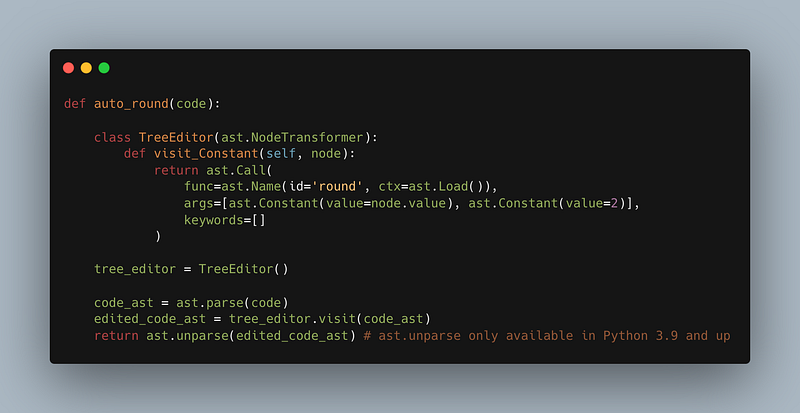
As you can see, we parse the given code, then use the NodeTransformer to replace constants (i.e. floats, integers, etc) with a round function. Then we un-parse the AST to convert it back into code.
Then we need to write a hook that uses this auto_round function whenever the code in "my_test.py" is imported.
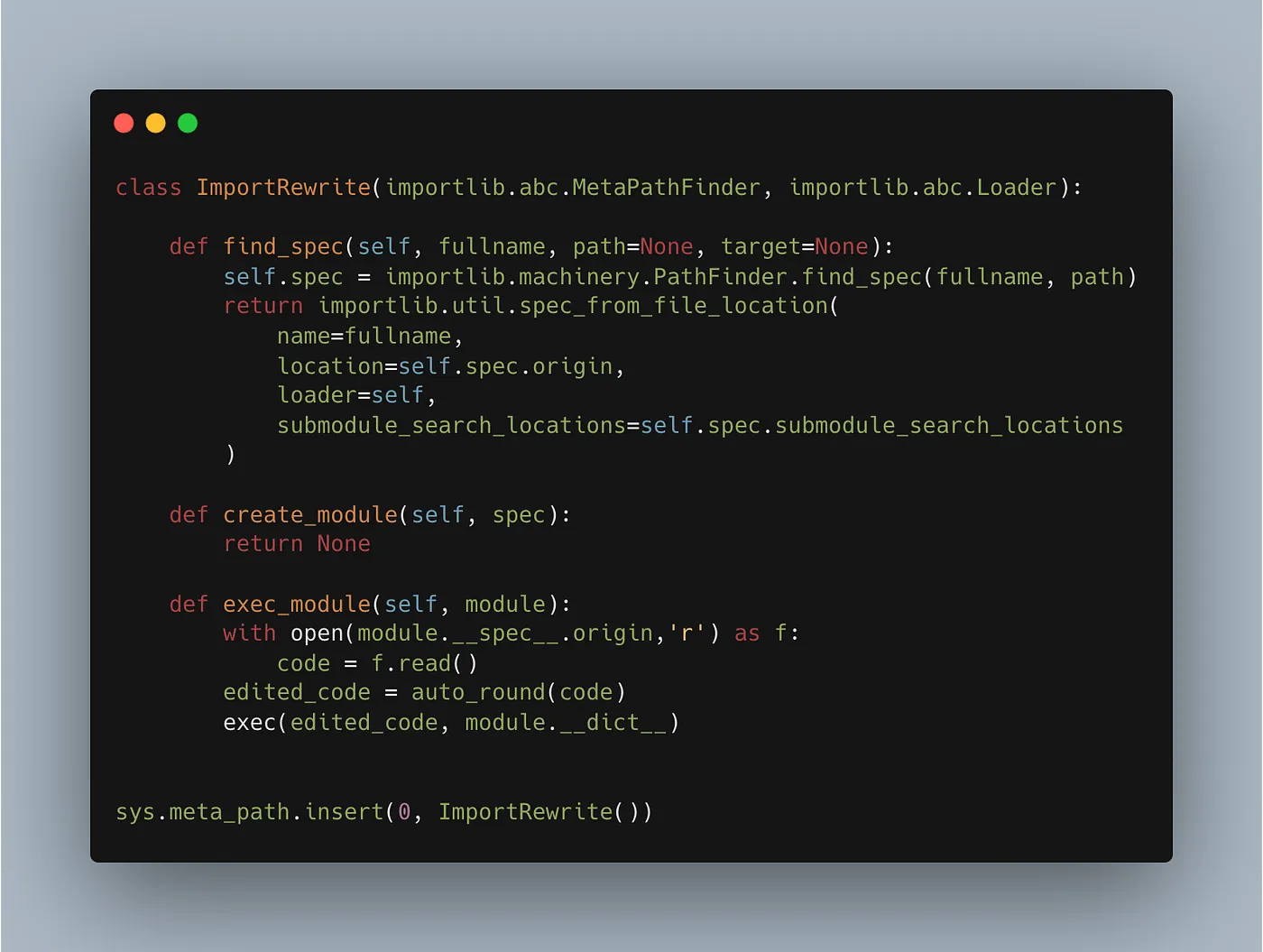
Once those two pieces of code are there, you can just import "my_test" and use it as you want, and the new hook and AST editor will make sure to alter the code before it is executed.
Hope this gives you an idea about how pytest edit your test's ASTs to replace the assert statements with if statements with more useful outputs. You can check the full code here for easier copying.
Tarek Amr, January 13, 2023